Open-Box Vs Refurbished
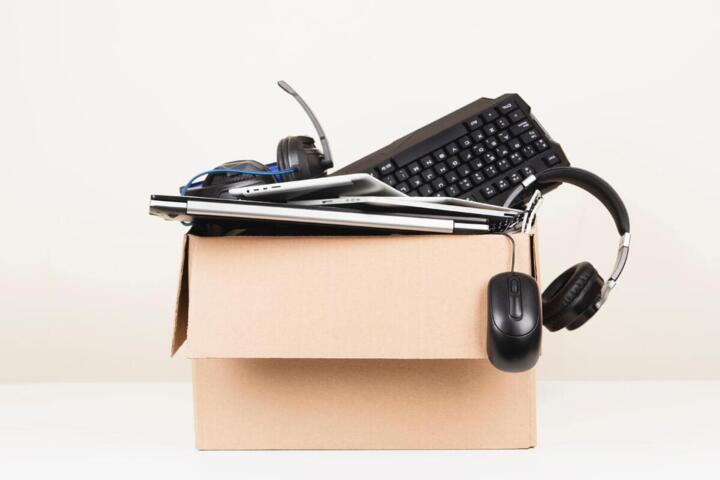
Open-box and refurbished listings often look similar because both may show up after a return, but the underlying condition and testing steps usually differ. Open-box typically means the product left the factory, reached a customer, and came back with packaging opened or missing, with limited or no repair work. Refurbished generally means the item went through a more formal inspection process, and it may have had parts replaced or the unit repaired to meet a seller’s standard.
For health-related purchases, the distinction matters because performance reliability can affect day-to-day use. A blood pressure monitor that reads inconsistently, a home diagnostic device that fails self-tests, or a wearable with unstable sensors can create extra uncertainty. Even when both categories are sold with a warranty, the path to that warranty differs, and so does the risk profile.
Main Confusions And Risks
People often treat “open-box” and “refurbished” as synonyms, then assume the difference is only cosmetic. That assumption breaks down when the seller’s process includes repairs, calibration, or replacement of worn components. The listing may also hide the extent of testing, which is where buyers run into trouble.
Another common mistake involves relying on the phrase “like new” without checking what “new” means for that specific device. For example, a refurbished medical accessory might be cleaned and tested for basic function, yet it may not match the original factory calibration schedule. If the product uses sensors that drift over time, the seller’s testing window matters, and the listing rarely states it.
Supporting technologies drive these differences. Many consumer health devices depend on firmware versions, sensor calibration routines, and battery health thresholds. A seller can test “powers on” and “basic readings” while skipping deeper checks like long-duration stability, which is the kind of behavior that shows up after several days of use. I once saw a return listing for a wearable that mentioned “fully functional” but omitted the firmware version, and the app later flagged a compatibility issue—annoying, and not obvious from the product page.
Warranties and return policies also shape risk. An open-box item may come with a shorter warranty or fewer coverage terms for accessories. A refurbished item may include a more explicit warranty period, yet it can still exclude consumables, wear items, or damage from misuse. The fine print often decides whether you get a replacement, a repair, or a refund.
How To Compare Listings
Verify Condition And Testing
Start by finding the seller’s definition of open-box or refurbished for that exact product category. Then look for concrete testing language: “tested for function,” “passed diagnostic self-test,” “battery health verified,” or “sensor calibration performed.” If the listing only says “inspected,” ask for the inspection checklist or a summary of what was tested.
For devices with apps, check the minimum supported app version and firmware behavior. A small detail like “works with iOS 17.4 and app v3.2.1” can signal that the seller tested in a real software environment, not just on a bench. If the listing shows a firmware version (for example, “FW 1.8.0”), that can help you anticipate compatibility. When the listing omits these details, you’re left guessing, and guessing is where buyers lose time.
Check Warranty, Returns, And Coverage
Compare warranty length, what counts as a defect, and whether the seller covers shipping both ways. A 30-day return window can be enough for setup issues, but it may not catch intermittent sensor problems that appear after repeated use. If the warranty is 90 days, ask whether the coverage includes accessories like cuffs, probes, or charging cables.
Look for coverage exclusions that commonly affect health devices: damage from “improper cleaning,” “unauthorized accessories,” or “wear and tear.” If the product uses a cuff or mouthpiece, confirm whether those parts are new or reused. A refurbished unit might include a new cuff, while an open-box unit might not, and that difference changes hygiene and fit.
Inspect Accessories And Documentation
Open-box listings frequently omit items that are easy to lose: extra pads, replacement tips, instruction manuals, or region-specific power adapters. Refurbished listings sometimes include a full accessory set, but not always. Count what’s in the box and match it to the manufacturer’s “in the box” list.
For example, a home blood pressure monitor typically needs the correct cuff size and a compatible charging method. If the listing says “cuff included” without specifying size, you can end up with a device that technically works but produces less reliable readings for your arm. If the product uses batteries, check whether they are included and whether the seller tests with fresh batteries or relies on the device’s internal pack.
Evaluate Performance Claims With Limits
When a seller claims “tested to meet original specs,” ask what those specs are and how they were measured. For many consumer devices, the seller’s test may focus on basic operation rather than clinical-grade accuracy. That distinction matters because clinical accuracy often requires controlled measurement protocols and repeated testing.
Use a practical approach: plan a short “verification period” after purchase. For a monitor, compare readings against a known reference method if you have one, or track trends over several days rather than trusting a single measurement. For a wearable, check whether the device passes its in-app calibration steps and whether sensor readings stabilize after the recommended warm-up time. If the device fails self-tests during setup, return it quickly rather than troubleshooting for weeks.
Case Examples For Real Decisions
Scenario 1: Open-box blood pressure monitor. A buyer finds an open-box monitor with the original unit but missing the printed manual. The listing states “tested and working,” yet it does not mention cuff size or battery health. The buyer checks the model number against the manufacturer’s compatibility list, confirms the cuff size in the box, and verifies the warranty is 1 year from purchase date. After setup, the buyer runs the device’s calibration prompts and tracks morning and evening readings for 5 days. The device shows consistent trends, and the buyer keeps it because the return window closes soon.
Scenario 2: Refurbished glucose meter. A buyer purchases a refurbished meter that includes a new carrying case but reuses the same lancing device. The listing states “inspected and tested,” and the warranty covers defects for 6 months. The buyer confirms the meter’s software version in the app and checks that the test strips are compatible with the meter’s code. During the first week, the buyer performs the manufacturer’s control test using the recommended control solution. The meter passes control testing, and the buyer keeps it because the performance matches the expected control range.
Comparison Checklist
| Item Type | Typical Meaning | Testing Depth | Buyer Checks |
|---|---|---|---|
| Open-Box | Returned with opened packaging; may be missing accessories | Often limited to basic function; repair usually not described | Confirm full accessory set, cuff/fit items, warranty length, return window |
| Refurbished | Inspected and may be repaired or have parts replaced | Often includes functional testing; calibration details vary by seller | Ask what was tested, confirm warranty coverage for sensors/accessories, run self-tests/control tests |
Step-by-step checklist you can use before checkout:
- Record the exact model number and compare it to the manufacturer’s compatibility list for accessories and apps.
- Read the warranty terms for defects and exclusions, then check the return window length.
- List every accessory shown in the product photo and verify it matches what the seller includes in the box.
- Look for test language beyond “works” such as “diagnostic passed,” “battery health verified,” or “control test performed.”
- Plan a short verification period after delivery and test the device using its built-in prompts or manufacturer control procedures.
Common Mistakes To Avoid
One mistake involves assuming that a lower price automatically signals a higher risk. Price differences can reflect packaging, cosmetic wear, or inventory clearing, and the listing details matter more than the discount percentage. Another mistake is skipping the accessory check because “the device powers on” during setup feels like proof of readiness.
Buyers also over-trust vague phrases like “inspected” or “fully tested” without asking what tests were performed. If the seller cannot describe the testing scope, you can treat the claim as limited to basic function. A mild frustration shows up when the device later fails a self-test during calibration, and the return window has already narrowed.
Some shoppers ignore firmware and app compatibility. A refurbished unit might ship with older firmware that still runs, yet it may not support the latest app features or sensor calibration flow. Checking the app’s supported device list and the device’s reported firmware version reduces that risk.
Finally, people sometimes delay verification. For health devices, waiting weeks to test control functions can turn a fixable defect into a missed return opportunity. A short, planned setup session with the manufacturer’s prompts usually catches the most common problems.
FAQ
What Does Open-Box Usually Mean?
Open-box usually means the packaging was opened and the item was returned, often with limited testing described. Accessories may be missing, and the listing may not mention repairs or calibration.
What Does Refurbished Usually Mean?
Refurbished usually means the seller inspected the device and may have repaired it or replaced parts to meet a defined standard. The testing scope varies, so you still need to check warranty terms and what tests were performed.
Which One Has Better Warranty Coverage?
Warranty coverage depends on the seller and the listing. Refurbished items sometimes include longer or clearer warranties, but open-box items can also come with strong coverage; compare the exact terms for defects and exclusions.
Can An Open-Box Health Device Be Reliable?
Yes, if the listing includes clear testing language, the correct accessories are included, and the device passes its setup and self-tests. Reliability depends on the device model, sensor type, and whether the seller verified battery health or calibration steps.
What Should I Test After Delivery?
Run the device’s built-in self-tests, verify app pairing, and perform any manufacturer-recommended control tests. Track readings over multiple sessions rather than relying on a single measurement, then use the return window if the device fails early checks.
Author's Insight
Open-box and refurbished categories describe different stages of the product’s return and inspection lifecycle, but sellers define them with inconsistent detail. The most reliable way to compare them is to focus on what was tested, which accessories are included, and how the warranty handles defects. For health-related devices, built-in self-tests and control procedures often reveal problems that basic “powers on” checks miss. When listings omit testing scope, buyers should treat the claim as limited and plan a short verification period after delivery.
Key Takeaways
- Open-box typically signals opened packaging and return status; refurbished typically signals inspection and possible repair, with variable testing depth.
- Warranty length and exclusions often matter more than the label, so read the defect and accessory coverage terms.
- Confirm accessory compatibility and completeness, especially fit-critical parts like cuffs, tips, or probes.
- Use a short verification period after delivery: run self-tests, check app pairing, and perform any manufacturer control tests.
- A vague “inspected” claim without test scope increases uncertainty, so ask for details or choose a listing that states what was tested.